حذف حسابك Delete Your Account
نحترم خصوصيتك وحقك في حذف حسابك في أي وقت. توضح هذه الصفحة كيفية حذف حسابك وما الذي يحدث لبياناتك. We respect your privacy and your right to delete your account at any time. This page explains how to delete your account and what happens to your data.
كيفية الحذف من التطبيق How to delete from the app
-
افتح التطبيقمن الصفحة الرئيسية، اضغط على أيقونة الحساب في أعلى الزاوية للانتقال إلى ملفك الشخصي.
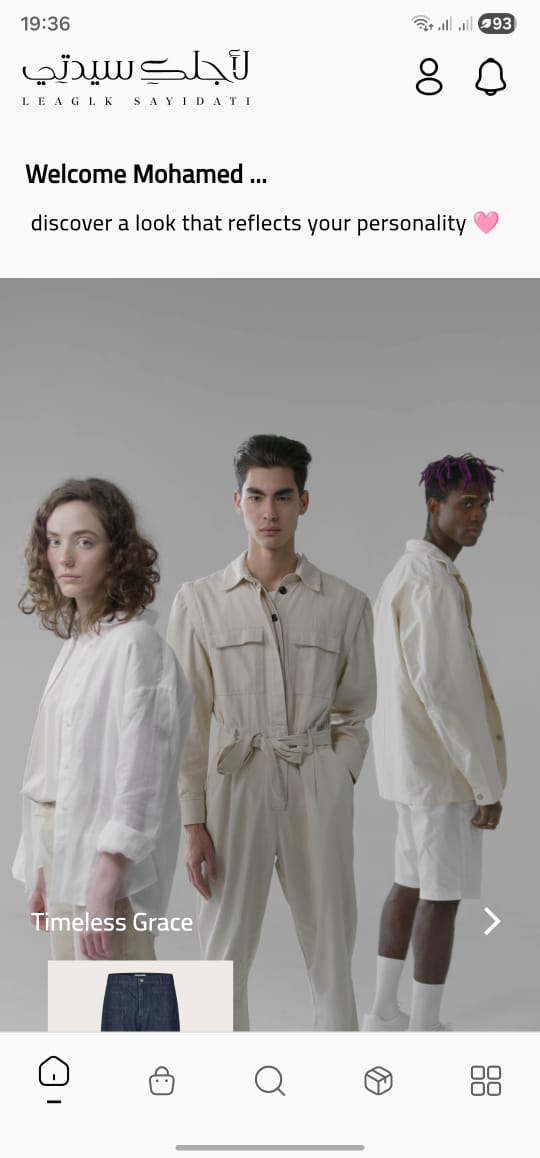
-
افتح الإعداداتمن شاشة "ملفي الشخصي"، اختر "الإعدادات".
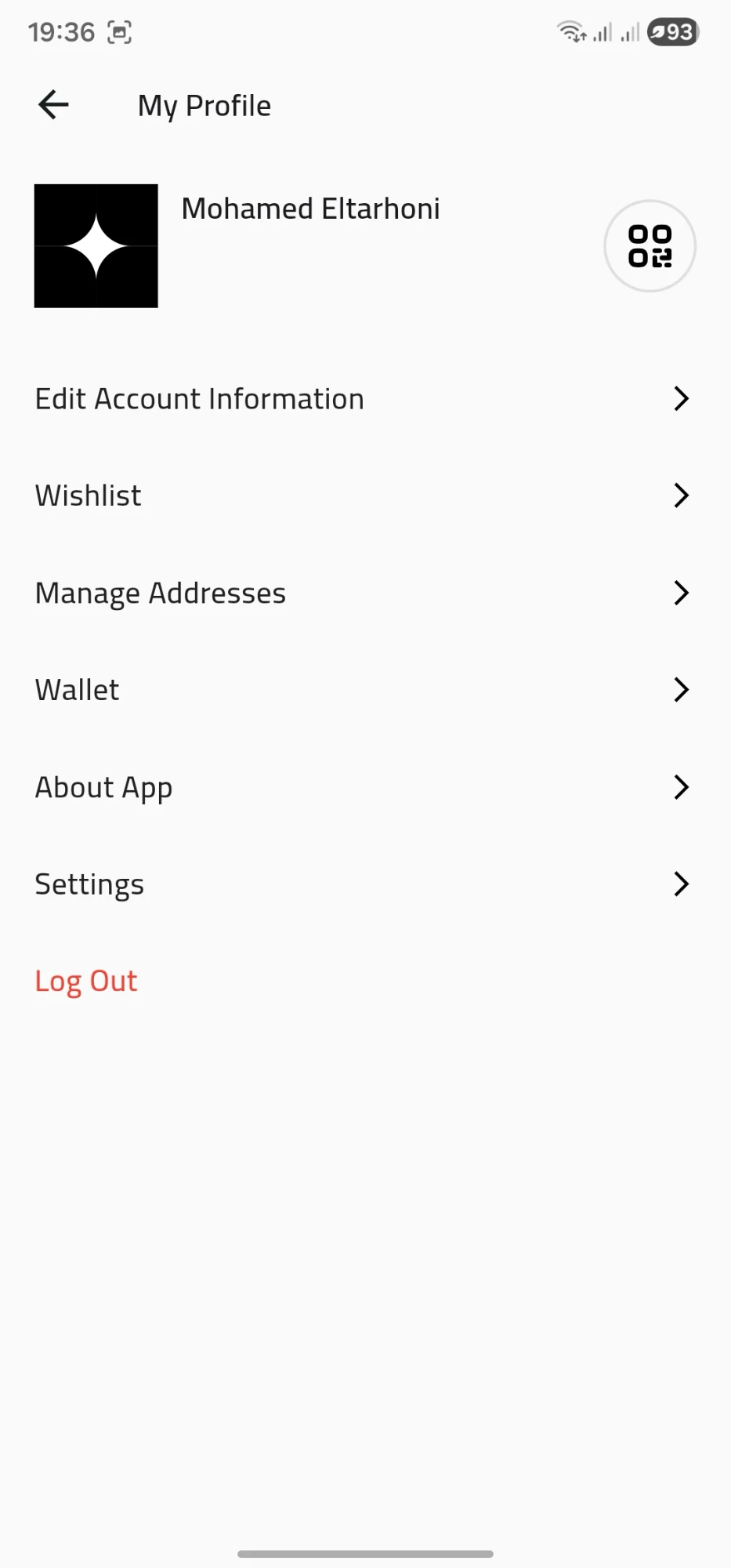
-
اضغط على "حذف الحساب"ستجد الزر في أسفل صفحة الإعدادات باللون الأحمر.
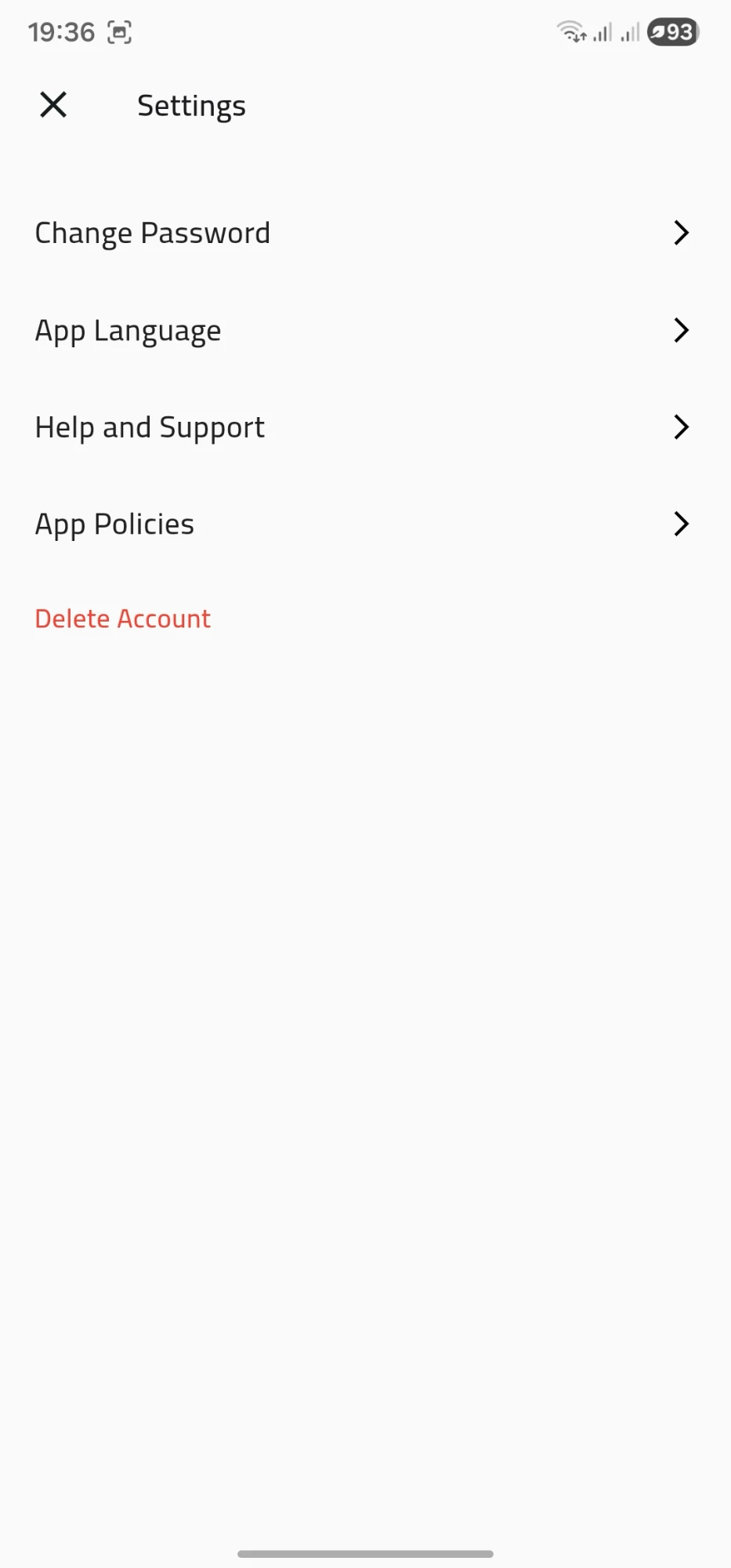
-
أكّد عملية الحذفسيظهر مربع تأكيد — اضغط "حذف" لإكمال العملية. سيتم حذف حسابك مباشرة.
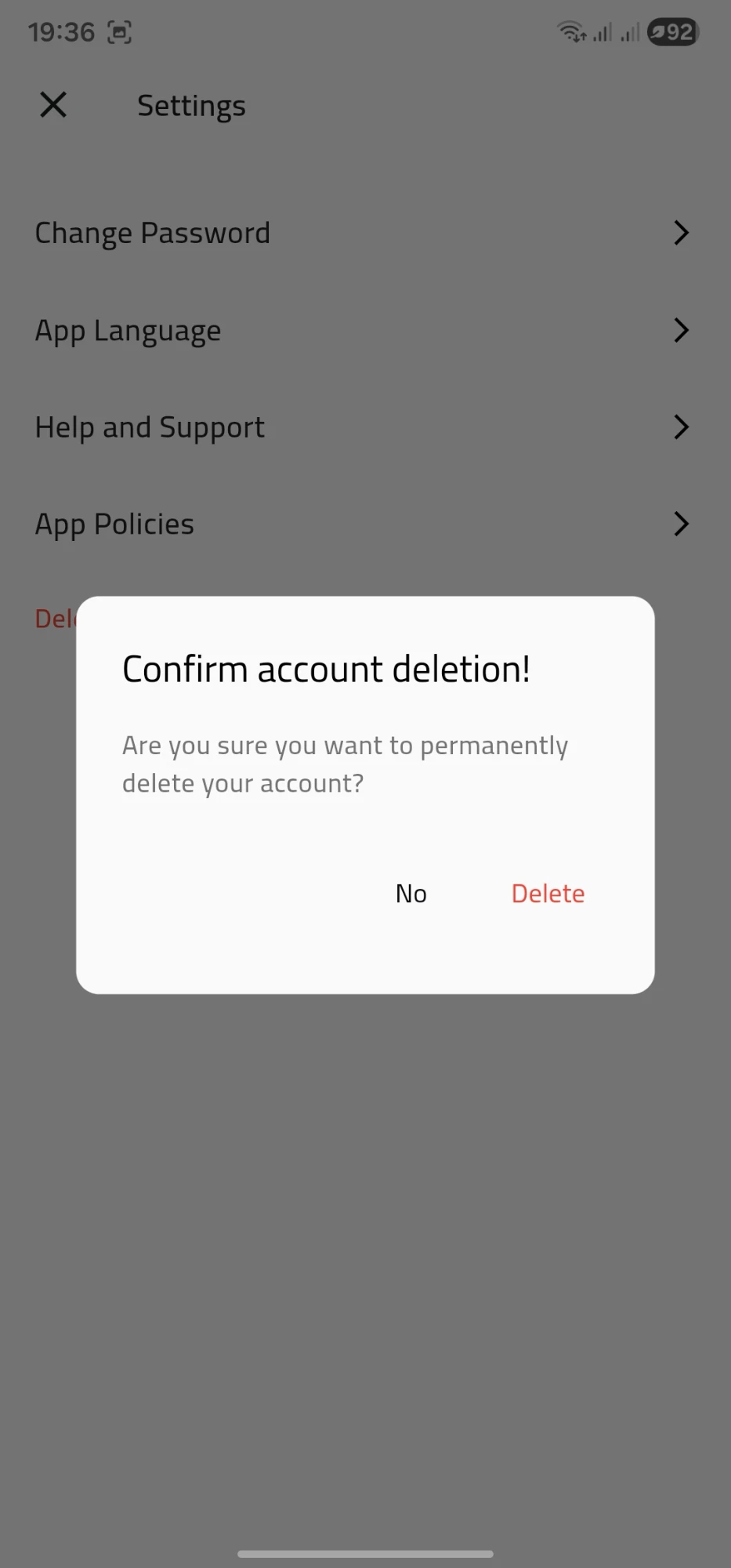
-
Open the appFrom the home screen, tap the account icon in the top corner to open your profile.
-
Open SettingsOn the "My Profile" screen, tap "Settings".
-
Tap "Delete Account"You'll find it at the bottom of the Settings page, highlighted in red.
-
Confirm the deletionA confirmation dialog appears — tap "Delete" to finish. Your account will be removed immediately.
ما الذي يحدث عند الحذف What happens when you delete
- يتم تسجيل خروجك من جميع الأجهزة فوراً.
- تُزال بياناتك الشخصية (الاسم، رقم الهاتف، البريد الإلكتروني، العنوان) من ملفك الفعّال.
- يُحتفظ بسجل الطلبات السابقة بشكل مجهول لأغراض المحاسبة والالتزامات القانونية.
- يمكنك إنشاء حساب جديد لاحقاً باستخدام نفس رقم الهاتف أو البريد الإلكتروني.
- You're signed out on all devices immediately.
- Your personal data (name, phone number, email, addresses) is removed from your active profile.
- Past orders are kept anonymously for accounting and legal-record purposes.
- You can register again later using the same phone number or email.
قبل الحذف Before you delete
إذا كان لديك رصيد في المحفظة أو نقاط ولاء، فلن يتم استرجاعها بعد الحذف. ننصحك باستخدامها قبل المتابعة.
If you have wallet balance or loyalty points, they won't be recoverable after deletion. We recommend using them before proceeding.
كذلك تأكد من عدم وجود طلبات قيد التنفيذ — لن نتمكن من التواصل معك بشأنها.
Also make sure you don't have any active orders in progress — we won't be able to reach you about them.